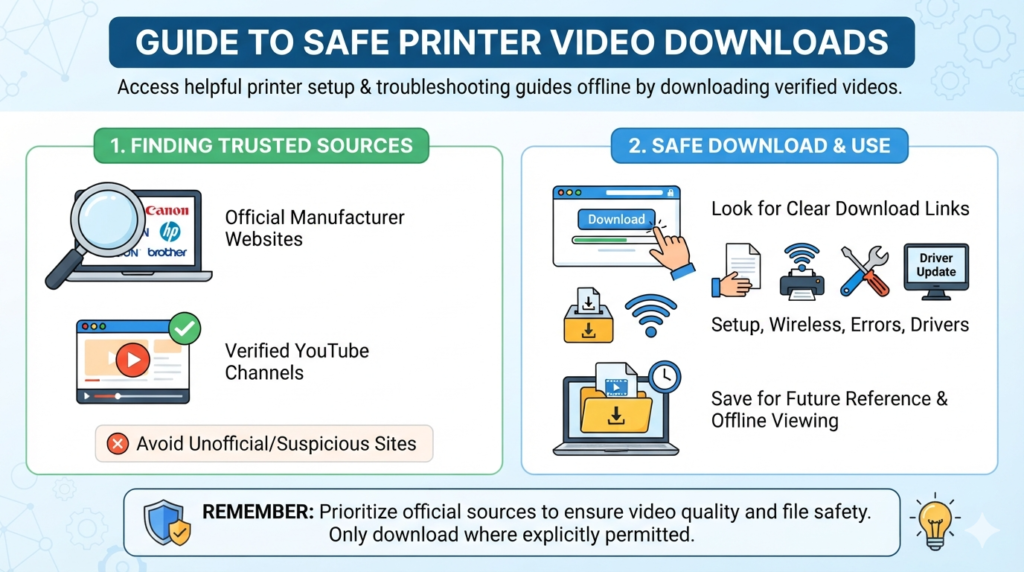

A printer video download can be useful when you need a printer guide without watching the same video again online. Printer videos can explain setup, installation, wireless connection, driver updates, paper loading, and common errors. A clear video often makes technical tasks much easier. This is especially helpful for beginners who prefer watching a process instead of reading long instructions. However, not every website offering downloads is safe or reliable. Some pages may contain unwanted files, misleading buttons, or copyrighted videos. It is important to choose trusted sources and understand the download options available. Official printer manufacturers often provide useful video tutorials through their websites or verified video channels. These sources can offer better information because they understand their products. This guide explains how to find helpful printer videos, download them safely when permitted, and use them for future reference.
What Is a Printer Video Download?
A printer video download usually means saving a printer-related video for offline viewing. The video may explain how to install a printer, connect it to Wi-Fi, replace ink, clear a paper jam, or fix a printing problem. The exact download method depends on the website and video platform. Some services provide an official download button. Others allow offline viewing inside their own apps. You should always check the platform’s rules before saving a video. Copyright also matters. A video being publicly available does not always mean it can be downloaded and reused freely. Personal offline viewing may have different rules from reposting or commercial use. For this reason, use official download options whenever they are available. Avoid websites that ask you to install unknown software. A safe approach protects your computer while helping you keep useful printer information nearby.
Why Printer Tutorial Videos Are Helpful
Printer manuals can contain valuable information, but they are sometimes difficult for new users. A video can show each action clearly. For example, someone installing a wireless printer can watch where to find the Wi-Fi button. They can also see which menu appears on the printer screen. This reduces confusion during setup. Videos are also useful for maintenance tasks. Replacing cartridges, cleaning print heads, loading paper, and removing jams can seem difficult when explained only with text. A visual demonstration makes these steps easier to understand. A printer video download can be particularly useful when your internet connection is unreliable. You can save an authorized tutorial and watch it later. This creates a small offline reference library. Before downloading anything, however, check the source and make sure the instructions match your printer model.
Where to Find Reliable Printer Videos
The best place to start is usually the printer manufacturer’s official website or verified video channel. Major manufacturers publish tutorials for their printer families. These videos may cover installation, software setup, wireless printing, scanning, maintenance, and troubleshooting. Official support pages are also useful because they often connect videos with written instructions and driver downloads. Another option is a reputable educational or technology website. When using a third-party source, check who created the content. Look for clear model numbers and accurate instructions. Avoid pages that make exaggerated claims or use many confusing download buttons. Search using your exact printer model whenever possible. For example, instead of searching only for “printer setup,” include the model name. This can produce much more relevant results. A trusted source makes a printer video download more useful because the instructions are more likely to match your device.
How to Choose the Right Printer Video
Not every printer tutorial is suitable for your situation. Start by identifying the printer’s brand and exact model. Two printers from the same company can have different buttons, menus, and software. Next, check the video’s publication date. Older videos may show outdated software or settings. However, an older video can still be useful for simple hardware tasks. Read the description before watching or downloading. It may tell you which operating system, printer model, or connection method the tutorial covers. Video quality also matters. A blurry demonstration can make small buttons difficult to see. Choose videos with clear narration and visible instructions. If several videos cover the same task, compare them before choosing one. This simple research can prevent mistakes. A good printer video download should solve a specific problem rather than simply provide a random printer-related video.
Safe Ways to Save Printer Videos
The safest option is to use a platform’s built-in download or offline feature. If a manufacturer provides downloadable training material, that option is usually preferable. Do not trust websites that force you to download unfamiliar applications just to save a video. Be especially careful with executable files such as unknown .exe programs. A video file should not normally require strange software to open. Keep your operating system and security tools updated. You should also avoid entering payment details on suspicious download pages. If a platform does not provide a download feature, check its terms before using another method. Copyright restrictions can apply to videos even when they are easy to access. A printer video download should therefore be handled with both security and copyright awareness. Saving an authorized tutorial for personal reference is very different from copying and publishing someone else’s content.
Printer Setup Videos for Beginners
New printer owners often need help with basic setup. A good setup video can show how to remove packaging, install cartridges, load paper, connect power, and start the initial configuration. Wireless models may require additional steps. These can include connecting the printer to a home Wi-Fi network and installing companion software. Watching these actions can help users avoid simple mistakes. For example, some printers require protective shipping materials to be removed before printing. Others need a specific initialization process before the first page can be printed. A printer video download can make these instructions available when you are setting up the device away from a strong internet connection. Always compare the video with your printer’s official manual. If the video uses different buttons or menus, stop and find a model-specific guide. This small step can save time and prevent incorrect settings.
Printer Driver and Software Tutorials
Printer drivers allow your computer to communicate correctly with the printer. Installing the wrong driver can cause printing problems or missing features. Video tutorials can demonstrate where to find official software and how to complete the installation. They can also explain settings such as paper size, print quality, color options, and default printers. When following a driver tutorial, use the manufacturer’s official support page whenever possible. Avoid downloading drivers from unknown websites. Third-party driver pages may offer incorrect or unwanted software. A printer video download about drivers can be useful as a visual reference, but the actual software should come from a trusted source. Check that the driver supports your operating system. Windows and macOS may require different packages. Some newer printers also support mobile printing without traditional driver installation. A current tutorial can explain which option works best for your particular device.
Using Videos for Printer Troubleshooting
Printer troubleshooting videos can help with common problems. These include paper jams, poor print quality, offline status, connection errors, and cartridge warnings. A good troubleshooting video should explain the problem before showing the solution. This helps you understand what caused the issue. For example, repeated paper jams may result from incorrectly loaded paper. Faded printing may relate to ink levels, print settings, or clogged print heads. Wireless problems may involve network settings rather than the printer itself. Before following a repair tutorial, confirm that it matches your printer model. Do not force mechanical parts or follow risky instructions. If the problem involves electrical components, professional support may be safer. Keeping a printer video download for common troubleshooting tasks can provide quick guidance later. Still, official manuals and support channels should remain your main sources for serious technical problems.
Printer Maintenance Videos
Regular maintenance can help a printer work more reliably. Maintenance videos may explain how to clean the exterior, replace cartridges, align print heads, and inspect paper paths. Some printers also include automatic cleaning functions. These features can often be started through the printer menu or computer software. A video can show where to find these controls. However, avoid using cleaning methods that are not recommended by the manufacturer. Excessive cleaning can waste ink on some inkjet models. Using unsuitable liquids can also damage printer components. Before following a maintenance video, verify the printer model and read the manufacturer’s instructions. A printer video download can become a useful maintenance reference when kept with your printer documents. You can create a small folder containing authorized tutorials, manuals, warranty information, and software links. This makes future maintenance easier because important information stays organized.
How to Organize Downloaded Printer Tutorials
Keeping downloaded videos organized can save time later. Create a folder using the printer’s brand and model. Inside it, add separate folders for setup, drivers, maintenance, troubleshooting, and scanning. Use clear filenames so you know what each video covers. For example, a filename could include the printer model and task. Avoid storing dozens of unrelated videos in one folder. They can become difficult to find when you actually need help. You should also periodically review your saved content. Remove outdated tutorials when software or printer settings change. Keep official manuals alongside your videos if possible. A well-organized printer video download collection works like a simple personal support library. It can be especially helpful for offices, schools, and small businesses with several printers. Good organization turns useful videos into a practical reference system.
Common Mistakes to Avoid
There are several mistakes people make when searching for printer tutorials. One common mistake is downloading from the first website that appears in search results. Search ranking does not automatically mean a download page is trustworthy. Another mistake is using a tutorial for a different printer model. Similar-looking printers can have completely different procedures. People also sometimes install third-party driver tools without checking the source. This can create unnecessary software problems. Another issue is ignoring copyright rules when saving or sharing videos. Not every online video is available for unrestricted reuse. Before starting a printer video download, check the platform’s available options and usage terms. You should also avoid clicking multiple fake download buttons. If a page looks suspicious, leave it and find the video through an official source. Safe browsing is just as important as finding a helpful tutorial.
Printer Videos for Home and Office Users
Printer tutorials are useful for both home users and workplaces. At home, a video can help someone install a new printer or fix a simple paper problem. In an office, tutorials can help employees understand shared printers and basic maintenance procedures. Businesses can create internal training libraries using content they are legally allowed to store. This can reduce repeated questions and save employee time. Staff members can watch the same approved tutorial when learning a common process. A printer video download can therefore become part of a simple workplace training system. However, businesses should pay attention to licensing and copyright rules. They should also avoid storing sensitive information in shared folders. A clean training library should contain only trusted resources. When used properly, printer videos can make routine printing tasks faster and easier for many users.
Printer Videos and Mobile Printing
Modern printers often support smartphones and tablets. Mobile printing may use a manufacturer’s app, wireless printing technology, or a cloud-based service. Tutorials can demonstrate how to connect a phone and select the correct printer. They may also explain how to print photos, documents, or web pages. Mobile printing settings can vary between Android and iOS devices. Network settings can also affect whether the printer appears. A printer video download about mobile printing can be useful when setting up a device for the first time. However, app interfaces can change after updates. If an older video looks different from your current application, check the latest support information. Avoid installing unofficial printer apps from unknown websites. Use trusted app stores and verify the developer name. This reduces the risk of installing a fake application.
How to Check a Printer Tutorial Before Using It
Before following a printer tutorial, spend a few minutes checking its quality. First, confirm the printer model. Then check whether the instructions match your operating system or device. Look at the video’s description for additional information. If the creator provides links, inspect them before opening them. Be cautious when a tutorial promises unusual results or asks you to disable security software. Reliable technical guidance normally explains the process clearly. It does not pressure viewers into downloading unrelated programs. You can also compare important instructions with the official printer manual. This is especially important for hardware maintenance. A printer video download should support your understanding rather than replace trustworthy documentation. When the video and official instructions disagree, follow the manufacturer’s current guidance. This approach helps you avoid outdated or unsafe procedures.
Benefits of Keeping Offline Printer Guides
Offline printer guides can be helpful when internet access is unavailable. Imagine your printer stops working during an important task. If you already have an authorized tutorial saved, you can review the relevant steps immediately. This can be useful in homes, offices, classrooms, and small businesses. Offline guides can also reduce repeated searches for the same problem. Instead of looking for a paper-jam tutorial every time, you can open your saved reference. A printer video download may also help users learn at their own pace. They can pause, replay, and review difficult steps. However, offline content can become outdated. Printer software and online services may change over time. Review your saved tutorials occasionally and replace old information with current official guidance. This keeps your offline reference library accurate and useful.
Frequently Asked Questions
1. What is a printer video download?
A printer video download is a saved printer-related video that can be viewed offline. It may explain setup, printing, maintenance, driver installation, or troubleshooting. Always use official download features when available. You should also respect the platform’s copyright and usage rules.
2. Where can I find printer tutorial videos?
Start with the printer manufacturer’s official website and verified video channels. You can also use reputable technology websites. Search for your exact printer model to find more accurate instructions.
3. Is it safe to download printer videos?
It can be safe when you use an official download or offline feature. Avoid suspicious websites that request unknown software or personal information. Never install an unfamiliar program simply to save a video.
4. Can printer videos help fix printing problems?
Yes. Videos can explain common problems such as paper jams, poor print quality, connection issues, and printer setup errors. Make sure the tutorial matches your printer model before following its instructions.
5. Can I share a downloaded printer video?
That depends on the video’s copyright and license. Downloading for permitted personal use does not automatically give you permission to repost or distribute the video. Check the platform’s terms and the creator’s permissions.
6. Should I keep printer tutorials offline?
Keeping useful, authorized tutorials offline can be convenient. They can help when your internet connection is unavailable. However, review saved tutorials regularly because printer software and procedures can change.
Conclusion
A printer video download can be a practical way to keep useful printer guidance available offline. Videos can make setup, maintenance, printing, and troubleshooting easier to understand. The key is choosing reliable and current information. Start with official manufacturer resources whenever possible. Confirm the printer model before following instructions. Use built-in download features when they are available and permitted. Avoid suspicious websites, unknown software, and misleading download buttons. Copyright rules should also guide how you save and share online videos. With a small collection of trusted tutorials, you can create a useful printer reference library. This can save time when a problem appears later. Most importantly, treat online videos as helpful guidance rather than a replacement for official documentation. A careful approach gives you the benefits of visual learning while keeping your device, data, and computer safer.